> ## Documentation Index
> Fetch the complete documentation index at: https://support.myapps.ai/llms.txt
> Use this file to discover all available pages before exploring further.
# Pixio Canvas Support
> Help for drawing, tracing, layers, Pixio AI features, privacy, and your iPad setup.
 Pixio Canvas is an iPad drawing studio built for finger or Apple Pencil. Draw locally, learn with traceable guides, turn your own photos into stencils on-device, or invite a Pixio-powered companion to refine and animate your work.
Drawing, layers, undo and redo, bundled tracing guides, and on-device Photo-to-Stencil work without a Pixio API key. AI features are optional.
Start locally or connect your own Pixio API key for companion features.
Choose whether the companion stays off, waits for the Spark, or responds after you pause.
Use 28 built-in guides, convert a photo locally, or generate a custom guide.
Keep every drawing and companion pass editable and move backward or forward safely.
See exactly what stays on the iPad and what is sent when you allow an AI request.
Resolve key, credit, generation, Duet, photo, stencil, and voice issues.
Pixio Canvas is an iPad drawing studio built for finger or Apple Pencil. Draw locally, learn with traceable guides, turn your own photos into stencils on-device, or invite a Pixio-powered companion to refine and animate your work.
Drawing, layers, undo and redo, bundled tracing guides, and on-device Photo-to-Stencil work without a Pixio API key. AI features are optional.
Start locally or connect your own Pixio API key for companion features.
Choose whether the companion stays off, waits for the Spark, or responds after you pause.
Use 28 built-in guides, convert a photo locally, or generate a custom guide.
Keep every drawing and companion pass editable and move backward or forward safely.
See exactly what stays on the iPad and what is sent when you allow an AI request.
Resolve key, credit, generation, Duet, photo, stencil, and voice issues.
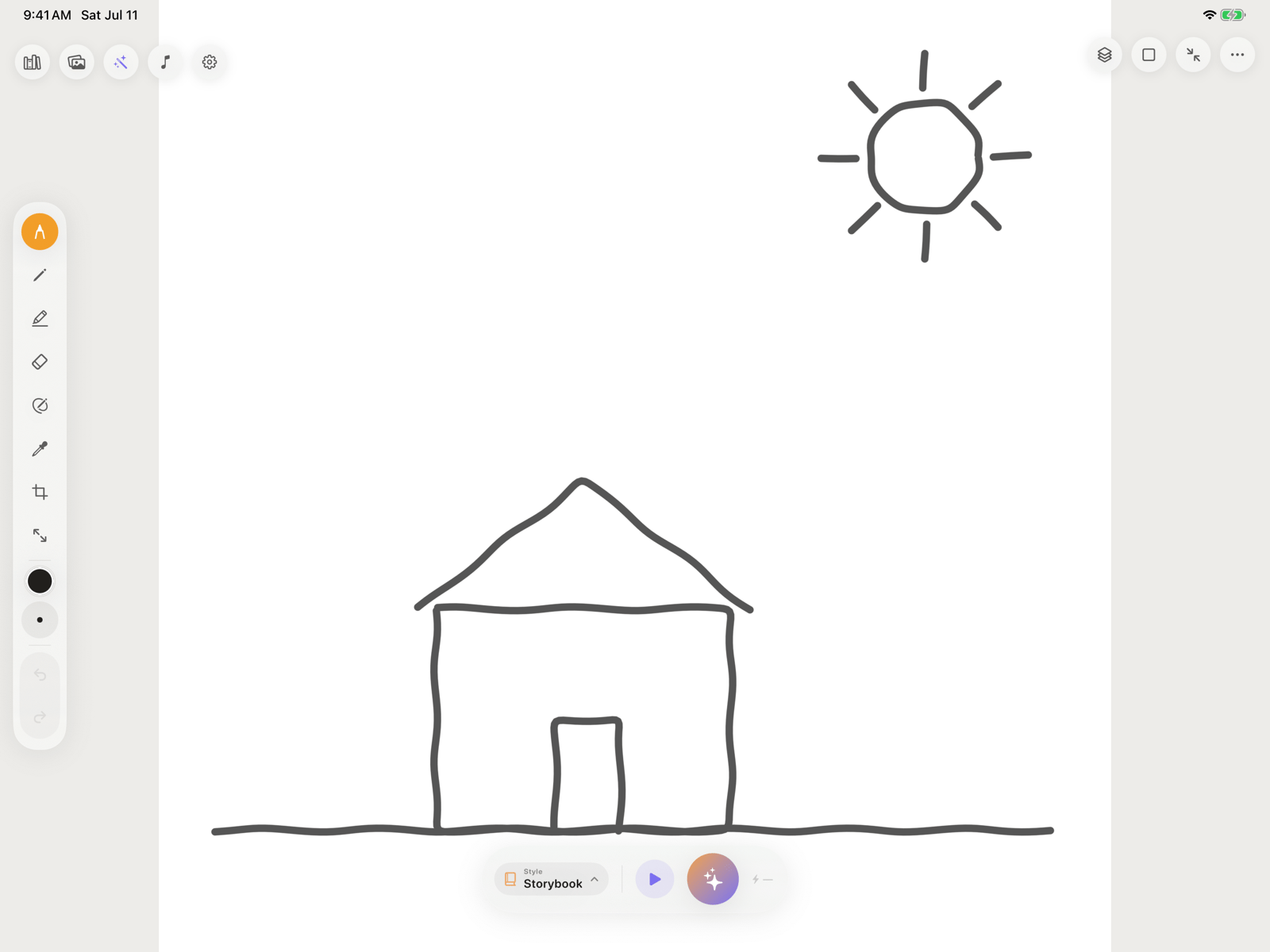 ## Local tools and AI tools
| Works locally | Uses Pixio cloud services |
| ------------------------------------ | -------------------------- |
| Drawing and erasing | Refine with the Spark |
| Layers, undo, redo, and Clear Canvas | Automatic Duet turns |
| 28 bundled tracing guides | Generate Stencil |
| Photo-to-Stencil and Custom Stencils | Animate |
| Local canvas Library | Pixio Library cloud assets |
Pixio Library needs a connected key and internet access. Refine, Duet, Generate Stencil, and Animate additionally need AI-processing permission and available credits.
## Contact Pixio Canvas support
Email [nkukaj@mytsi.org](mailto:nkukaj@mytsi.org) and include:
* Your iPad model and iPadOS version
* The Pixio Canvas version or TestFlight build number
* The mode you were using: Quiet, Whisper, or Duet
* What you expected, what happened, and the exact message shown
* A screenshot when it does not contain private artwork or account information
Never email your Pixio API key. Support does not need the full key to troubleshoot the app.
Read the [Pixio Privacy Policy](https://beta.pixio.myapps.ai/privacy-policy) or browse the [frequently asked questions](/pixio-canvas/faq).
## Local tools and AI tools
| Works locally | Uses Pixio cloud services |
| ------------------------------------ | -------------------------- |
| Drawing and erasing | Refine with the Spark |
| Layers, undo, redo, and Clear Canvas | Automatic Duet turns |
| 28 bundled tracing guides | Generate Stencil |
| Photo-to-Stencil and Custom Stencils | Animate |
| Local canvas Library | Pixio Library cloud assets |
Pixio Library needs a connected key and internet access. Refine, Duet, Generate Stencil, and Animate additionally need AI-processing permission and available credits.
## Contact Pixio Canvas support
Email [nkukaj@mytsi.org](mailto:nkukaj@mytsi.org) and include:
* Your iPad model and iPadOS version
* The Pixio Canvas version or TestFlight build number
* The mode you were using: Quiet, Whisper, or Duet
* What you expected, what happened, and the exact message shown
* A screenshot when it does not contain private artwork or account information
Never email your Pixio API key. Support does not need the full key to troubleshoot the app.
Read the [Pixio Privacy Policy](https://beta.pixio.myapps.ai/privacy-policy) or browse the [frequently asked questions](/pixio-canvas/faq).