> ## Documentation Index
> Fetch the complete documentation index at: https://support.myapps.ai/llms.txt
> Use this file to discover all available pages before exploring further.
# VidCraft Ultra
> Master AI-powered video generation with VidCraft Ultra, powered by Runway.
 # VidCraft Ultra: Advanced AI Video Generation
Harness the power of Runway to create stunning videos from text, images, and existing videos with unprecedented control and creativity!
## Overview
VidCraft Ultra, powered by Runway, represents the pinnacle of AI-driven video generation. This innovative platform offers a suite of powerful tools for creating high-quality, customizable videos from various inputs, including text prompts, images, and existing videos.
Generate videos up to 40 seconds long from detailed text descriptions.
Transform static images into dynamic video sequences with AI-powered animation.
Remix existing videos into new styles and concepts using text prompts.
Apply the facial performance from a video to a portrait image.
### Key Features of VidCraft Ultra
* High-fidelity output with improved consistency and motion
* Flexible input options (text, image, video)
* Ability to extend videos up to 40 seconds
* Upscale videos to 4K
* Advanced settings for fine-tuning outputs
## Modes of Operation
VidCraft Ultra offers a variety of modes to suit your creative needs:
### V4 and V4 Turbo
The flagship models for text and image to video generation.
* **Prompt**: Your text description of the desired video.
* **Input Image**: An optional image to guide the video generation.
* **Aspect Ratio**: Choose between various aspect ratios.
* **Duration**: Choose between 5 and 10 seconds.
* **Seed**: Use a seed to control the output.
# VidCraft Ultra: Advanced AI Video Generation
Harness the power of Runway to create stunning videos from text, images, and existing videos with unprecedented control and creativity!
## Overview
VidCraft Ultra, powered by Runway, represents the pinnacle of AI-driven video generation. This innovative platform offers a suite of powerful tools for creating high-quality, customizable videos from various inputs, including text prompts, images, and existing videos.
Generate videos up to 40 seconds long from detailed text descriptions.
Transform static images into dynamic video sequences with AI-powered animation.
Remix existing videos into new styles and concepts using text prompts.
Apply the facial performance from a video to a portrait image.
### Key Features of VidCraft Ultra
* High-fidelity output with improved consistency and motion
* Flexible input options (text, image, video)
* Ability to extend videos up to 40 seconds
* Upscale videos to 4K
* Advanced settings for fine-tuning outputs
## Modes of Operation
VidCraft Ultra offers a variety of modes to suit your creative needs:
### V4 and V4 Turbo
The flagship models for text and image to video generation.
* **Prompt**: Your text description of the desired video.
* **Input Image**: An optional image to guide the video generation.
* **Aspect Ratio**: Choose between various aspect ratios.
* **Duration**: Choose between 5 and 10 seconds.
* **Seed**: Use a seed to control the output.
 ```text theme={null}
A slow, cinematic push-in down the wet, neon-lit alleyway. Light rain begins to fall, creating gentle ripples in the puddles on the ground. Steam rises softly from a vent on the side of a building. The neon signs flicker intermittently, their vibrant colors shimmering and reflecting on the wet pavement. Moody, atmospheric, hyperrealistic, 8k.
```
### VidCraft Turbo (V3 Turbo)
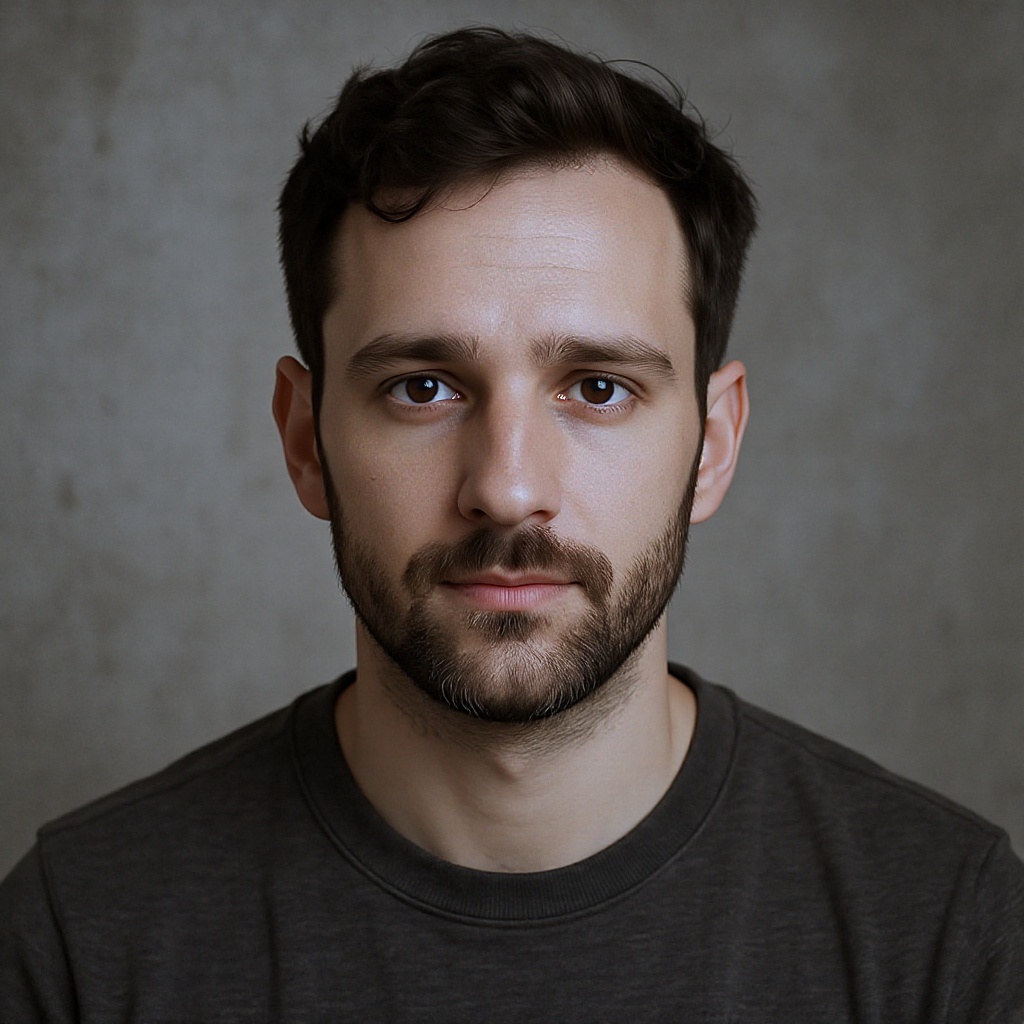
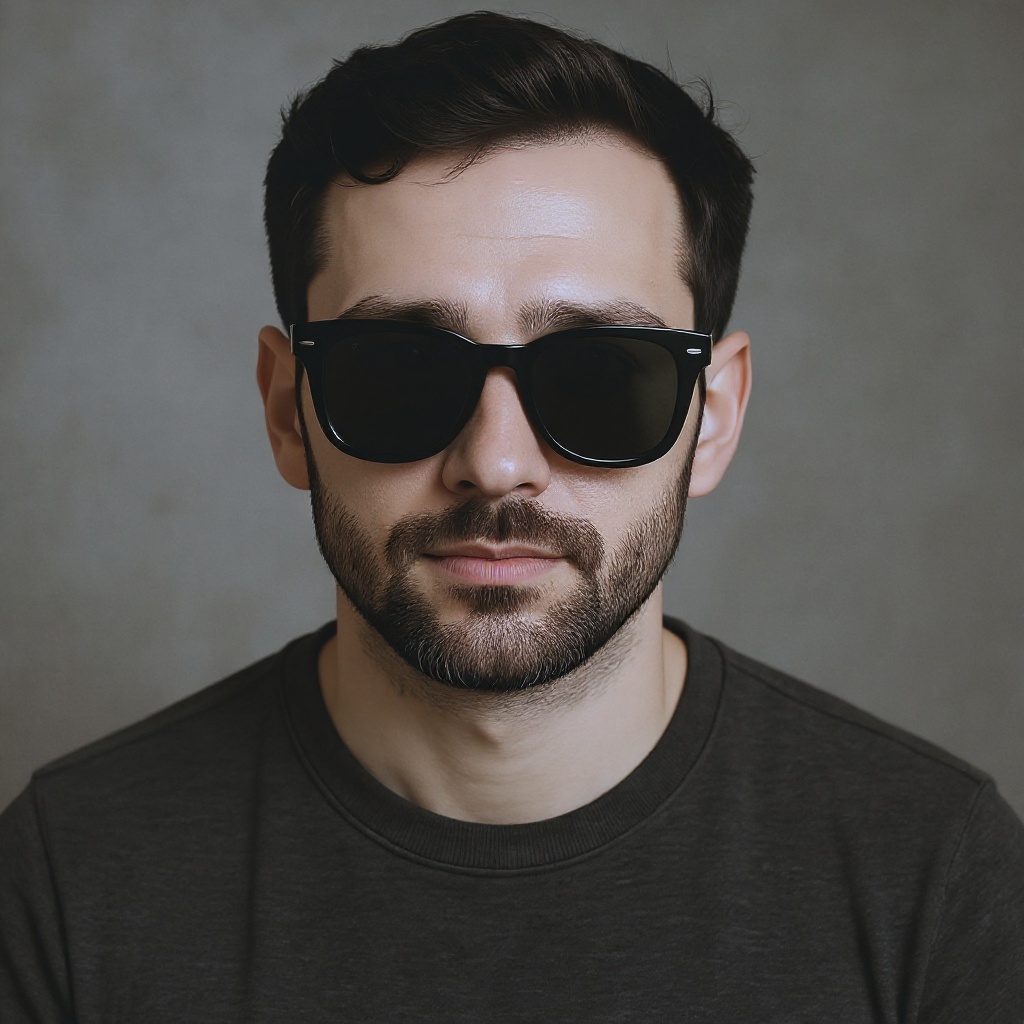
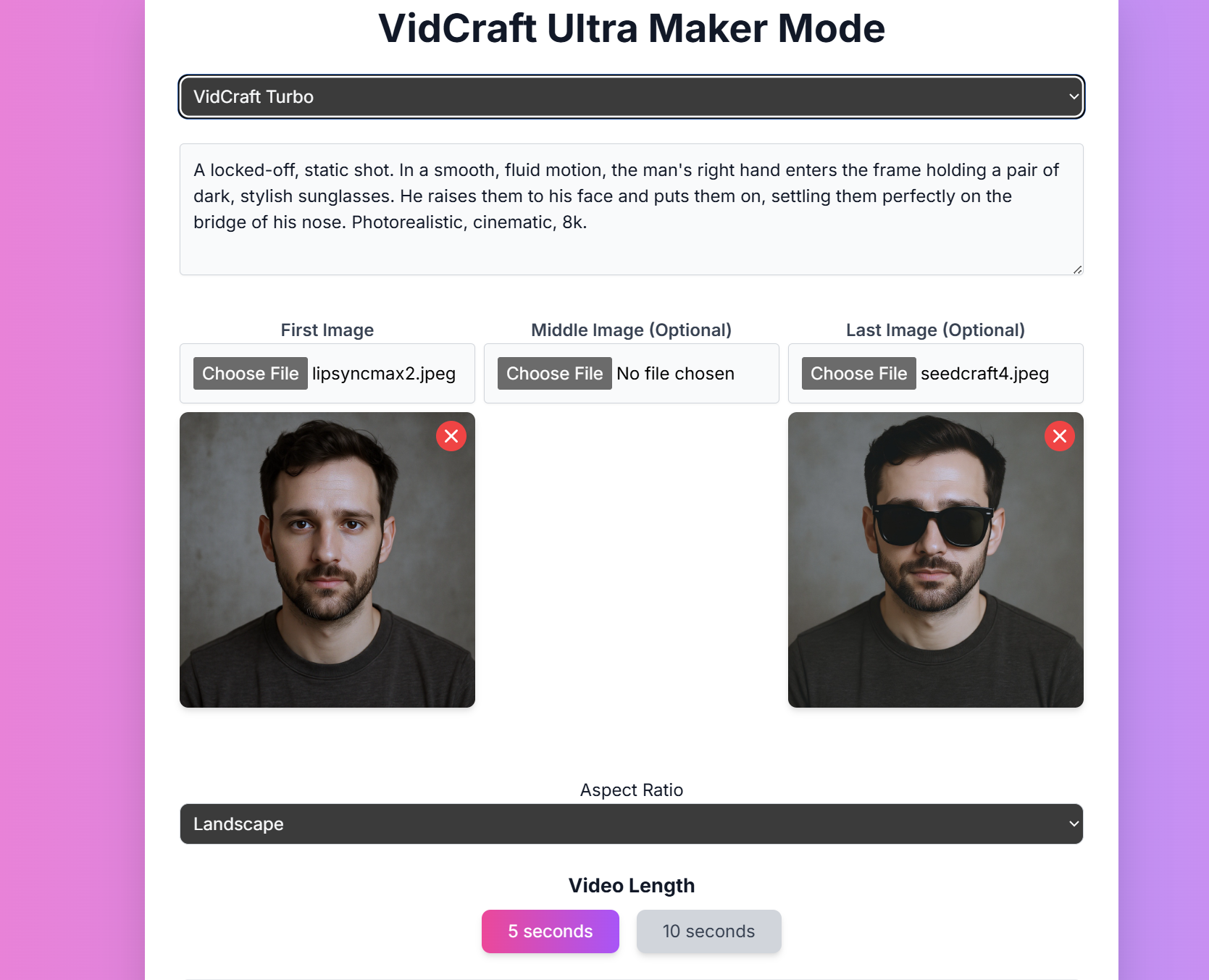
Useful for frame-to-frame generation with up to 3 image inputs.
* **Prompt**: Your text description of the desired video.
* **First Image**: The first frame of the video.
* **Middle Image**: An optional middle frame.
* **Last Image**: An optional last frame.
* **Aspect Ratio**: Choose between landscape, portrait, and square.
* **Duration**: Choose between 5, 10, 15, and 20 seconds.
* **Camera Controls**: Adjust horizontal, vertical, roll, zoom, pan, and tilt.
```text theme={null}
A locked-off, static shot. In a smooth, fluid motion, the man's right hand enters the frame holding a pair of dark, stylish sunglasses. He raises them to his face and puts them on, settling them perfectly on the bridge of his nose. Photorealistic, cinematic, 8k.
```
### V4 Edit (Aleph)
Capable of editing videos based on a prompt.
* **Input Video**: The video to be edited.
* **Reference Image**: An optional image to guide the edit.
* **Prompt**: Your text description of the desired edit.
* **Seed**: Use a seed to control the output.
```text theme={null}
Replace the background with a vibrant, neon-lit cyberpunk cityscape at night. The man is now on a high-rise balcony overlooking the sprawling metropolis below. The glow from the city's neon signs should cast colorful reflections on his jacket.
```
### Act One and Act Two
Performance capture models that take a video performance from an actor and apply it to a portrait. Act Two has expressive body gestures.
* **Performance Video**: A video of an actor's performance.
* **Character Reference**: An image or video of the character.
* **Aspect Ratio**: Choose between various aspect ratios.
* **Body Control**: Enable for expressive body gestures (Act Two only).
* **Expression Intensity**: Control the intensity of facial expressions (Act Two only).
* **Seed**: Use a seed to control the output.
### Video to Video
Allows remixing of a video with an image input for consistency.
* **Input Video**: The video to be remixed.
* **Style Image**: An optional image to influence the style.
* **Prompt**: Your text description of the desired transformation.
* **Aspect Ratio**: Choose between landscape, portrait, and square.
* **Structure Transformation**: Control how much the original video's structure changes.
* **Duration**: Choose between 5, 10, 15, and 20 seconds.
```text theme={null}
In the style of studio ghibli
```
### Expand
Allows expanding of a video from landscape to portrait and vice versa.
* **Input Video**: The video to be expanded.
* **Guide Image**: An optional image to guide the expansion.
* **Prompt**: Your text description of the desired expansion.
* **Aspect Ratio**: Choose between landscape and portrait.
* **Duration**: Choose between 5 and 10 seconds.
```text theme={null}
a man standing in the middle of the desert
```
## Mastering Prompts for VidCraft Ultra
Crafting effective prompts is crucial for achieving the best results with VidCraft Ultra. Here's a comprehensive guide to creating powerful text-to-video prompts:
#### Prompt Structure
For optimal results, structure your prompts as follows:
```
[camera movement]: [establishing scene]. [additional details].
```
This structure helps VidCraft Ultra understand the key elements of your desired video.
#### Key Elements to Include
1. **Camera Movement**: Describe how the camera should move (e.g., pan, zoom, tracking shot)
2. **Scene Description**: Paint a clear picture of the setting and main elements
3. **Subject Details**: Describe any characters or main objects in the scene
4. **Action**: Explain what's happening in the video
5. **Style and Mood**: Convey the overall aesthetic and emotional tone
6. **Lighting**: Describe the lighting conditions for added atmosphere
#### Advanced Techniques
Incorporate film terminology to achieve specific visual effects. For example: "Use a dolly zoom effect as the character realizes the gravity of their situation."
Detail the lighting conditions and mood. Example: "The scene is bathed in warm, golden hour sunlight, creating long shadows and a nostalgic atmosphere."
Describe moving elements in the scene to take advantage of VidCraft Ultra's motion capabilities. Example: "Leaves rustle in a gentle breeze, while clouds slowly drift across the sky."
Reference specific artistic styles or directors to guide the aesthetic. Example: "Create the scene in the style of a Wes Anderson film, with symmetrical composition and pastel colors."
#### Prompt Keywords
Experiment with these keywords to achieve specific styles:
* **Camera Styles**: "low angle", "high angle", "FPV", "tracking shot"
* **Lighting Styles**: "diffused lighting", "silhouette", "lens flare"
* **Movement Speeds**: "slow motion", "timelapse", "hyperlapse"
* **Movement Types**: "grows", "emerges", "transforms", "ripples"
* **Style and Aesthetic**: "cinematic", "moody", "iridescent", "retro"
## Conclusion
VidCraft Ultra offers a powerful suite of AI-driven video generation tools. By mastering the art of prompting and understanding the nuances of each feature, you can create stunning, professional-quality videos for a wide range of applications. Whether you're a content creator, marketer, or filmmaker, VidCraft Ultra provides an innovative platform to bring your visual ideas to life with unprecedented ease and control.
```text theme={null}
A slow, cinematic push-in down the wet, neon-lit alleyway. Light rain begins to fall, creating gentle ripples in the puddles on the ground. Steam rises softly from a vent on the side of a building. The neon signs flicker intermittently, their vibrant colors shimmering and reflecting on the wet pavement. Moody, atmospheric, hyperrealistic, 8k.
```
### VidCraft Turbo (V3 Turbo)
Useful for frame-to-frame generation with up to 3 image inputs.
* **Prompt**: Your text description of the desired video.
* **First Image**: The first frame of the video.
* **Middle Image**: An optional middle frame.
* **Last Image**: An optional last frame.
* **Aspect Ratio**: Choose between landscape, portrait, and square.
* **Duration**: Choose between 5, 10, 15, and 20 seconds.
* **Camera Controls**: Adjust horizontal, vertical, roll, zoom, pan, and tilt.
```text theme={null}
A locked-off, static shot. In a smooth, fluid motion, the man's right hand enters the frame holding a pair of dark, stylish sunglasses. He raises them to his face and puts them on, settling them perfectly on the bridge of his nose. Photorealistic, cinematic, 8k.
```
### V4 Edit (Aleph)
Capable of editing videos based on a prompt.
* **Input Video**: The video to be edited.
* **Reference Image**: An optional image to guide the edit.
* **Prompt**: Your text description of the desired edit.
* **Seed**: Use a seed to control the output.
```text theme={null}
Replace the background with a vibrant, neon-lit cyberpunk cityscape at night. The man is now on a high-rise balcony overlooking the sprawling metropolis below. The glow from the city's neon signs should cast colorful reflections on his jacket.
```
### Act One and Act Two
Performance capture models that take a video performance from an actor and apply it to a portrait. Act Two has expressive body gestures.
* **Performance Video**: A video of an actor's performance.
* **Character Reference**: An image or video of the character.
* **Aspect Ratio**: Choose between various aspect ratios.
* **Body Control**: Enable for expressive body gestures (Act Two only).
* **Expression Intensity**: Control the intensity of facial expressions (Act Two only).
* **Seed**: Use a seed to control the output.
### Video to Video
Allows remixing of a video with an image input for consistency.
* **Input Video**: The video to be remixed.
* **Style Image**: An optional image to influence the style.
* **Prompt**: Your text description of the desired transformation.
* **Aspect Ratio**: Choose between landscape, portrait, and square.
* **Structure Transformation**: Control how much the original video's structure changes.
* **Duration**: Choose between 5, 10, 15, and 20 seconds.
```text theme={null}
In the style of studio ghibli
```
### Expand
Allows expanding of a video from landscape to portrait and vice versa.
* **Input Video**: The video to be expanded.
* **Guide Image**: An optional image to guide the expansion.
* **Prompt**: Your text description of the desired expansion.
* **Aspect Ratio**: Choose between landscape and portrait.
* **Duration**: Choose between 5 and 10 seconds.
```text theme={null}
a man standing in the middle of the desert
```
## Mastering Prompts for VidCraft Ultra
Crafting effective prompts is crucial for achieving the best results with VidCraft Ultra. Here's a comprehensive guide to creating powerful text-to-video prompts:
#### Prompt Structure
For optimal results, structure your prompts as follows:
```
[camera movement]: [establishing scene]. [additional details].
```
This structure helps VidCraft Ultra understand the key elements of your desired video.
#### Key Elements to Include
1. **Camera Movement**: Describe how the camera should move (e.g., pan, zoom, tracking shot)
2. **Scene Description**: Paint a clear picture of the setting and main elements
3. **Subject Details**: Describe any characters or main objects in the scene
4. **Action**: Explain what's happening in the video
5. **Style and Mood**: Convey the overall aesthetic and emotional tone
6. **Lighting**: Describe the lighting conditions for added atmosphere
#### Advanced Techniques
Incorporate film terminology to achieve specific visual effects. For example: "Use a dolly zoom effect as the character realizes the gravity of their situation."
Detail the lighting conditions and mood. Example: "The scene is bathed in warm, golden hour sunlight, creating long shadows and a nostalgic atmosphere."
Describe moving elements in the scene to take advantage of VidCraft Ultra's motion capabilities. Example: "Leaves rustle in a gentle breeze, while clouds slowly drift across the sky."
Reference specific artistic styles or directors to guide the aesthetic. Example: "Create the scene in the style of a Wes Anderson film, with symmetrical composition and pastel colors."
#### Prompt Keywords
Experiment with these keywords to achieve specific styles:
* **Camera Styles**: "low angle", "high angle", "FPV", "tracking shot"
* **Lighting Styles**: "diffused lighting", "silhouette", "lens flare"
* **Movement Speeds**: "slow motion", "timelapse", "hyperlapse"
* **Movement Types**: "grows", "emerges", "transforms", "ripples"
* **Style and Aesthetic**: "cinematic", "moody", "iridescent", "retro"
## Conclusion
VidCraft Ultra offers a powerful suite of AI-driven video generation tools. By mastering the art of prompting and understanding the nuances of each feature, you can create stunning, professional-quality videos for a wide range of applications. Whether you're a content creator, marketer, or filmmaker, VidCraft Ultra provides an innovative platform to bring your visual ideas to life with unprecedented ease and control.