
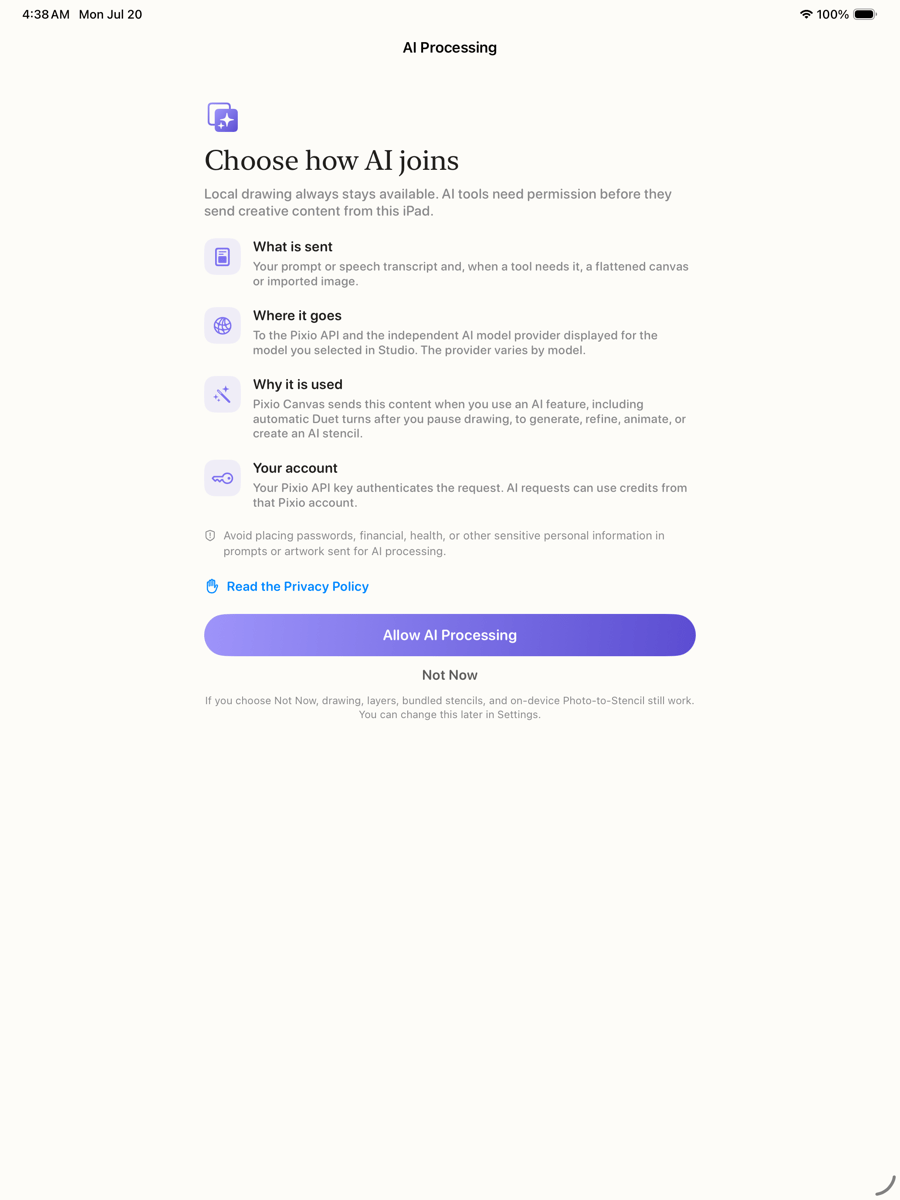
What each action uses
The model provider varies with your live model selection. Provider handling and retention can vary, so review the Pixio Privacy Policy before enabling AI processing.
Your API key
The key is stored in the device Keychain, is not bundled with Pixio Canvas, and is not displayed again after saving. It is transmitted to Pixio when needed to authenticate a cloud request. AI requests can use credits from that key’s Pixio account. Never put a key in artwork, prompts, screenshots, email, shared notes, or public testing instructions.AI-processing permission
Open Settings → AI Processing to review the disclosure, allow processing, or withdraw permission.- Not Now prevents new AI requests while local tools continue working.
- Allow AI Processing enables requests from Whisper, Duet, Generate Stencil, and Animate. In Duet, a request starts automatically after you pause drawing.
- Withdrawing permission cancels queued and locally tracked work. A request already accepted by a provider may still finish and may still use credits.
Photos and voice
- Photo access is requested only when you explicitly import an image or save exported artwork.
- Pixio Canvas does not use the camera.
- Microphone and Speech permissions are requested only when you use optional voice intent.
- Dictation requires on-device recognition. Raw microphone audio is not sent to Pixio; the resulting text can become part of an AI request after permission.
Remove data from the app
- Remove the stored API key in Settings → Companion Key.
- Delete individual canvases from the local Library.
- Delete individual entries from Custom Stencils.
- Use the red Clear button to clear the current canvas after confirmation.
Pixio Canvas has no in-app public feed, messaging, social-sharing network, advertising, native account registration, in-app purchases, or purchase links. You can explicitly share an animation through Apple’s system Share sheet.